Build better. Earn faster. With modern tech– AI, code/no-code & beyond.
Web Hosting Explained: From Shared to Cloud, A Complete Beginner's Guide
Last Updated:2025-12-05
Category:Web Development
Reading Time:15
Article-type:Standard
Introduction: What is a Web Host?
Every website, from a personal blog to an international e‑commerce, lives on a web-server. This is the platform where all the files related to your website are stored and served to visitors.
Technically, you can host your website on any computer connected to the internet, including your own. However, there are certain limitations to this approach such as – limited bandwidth, the need for constant uptime, managing databases, backups and most importantly, security.
This is why choosing a proper web-hosting service is crucial for website owners. A professional web hosting company is a service that owns and maintains powerful, super-fast computers called servers. You rent a small piece of space on these servers to store and serve your website.
A good host ensures your site is fast, secure, and always available. They also handle and automate many tasks in the background, so that you can instead focus on creating content.
Even if paid, opting for a reliable host is still more economical in the long run as many of them also bundle additional services like free SSL certificates, content delivery networks (CDNs), domain-names etc.
With so many choices out there, picking the right hosting platform can seem confusing at first. If you're a beginner, you also need to figure out what type of hosting service aligns best with your goals and budget. The type of hosting you choose ultimately depends upon what type of website you want to build.
In this guide, you'll explore the main types of web hosting and understand what features to focus on when choosing a provider. I'll also give some personal suggestions and common pitfalls to avoid.
Shared Hosting
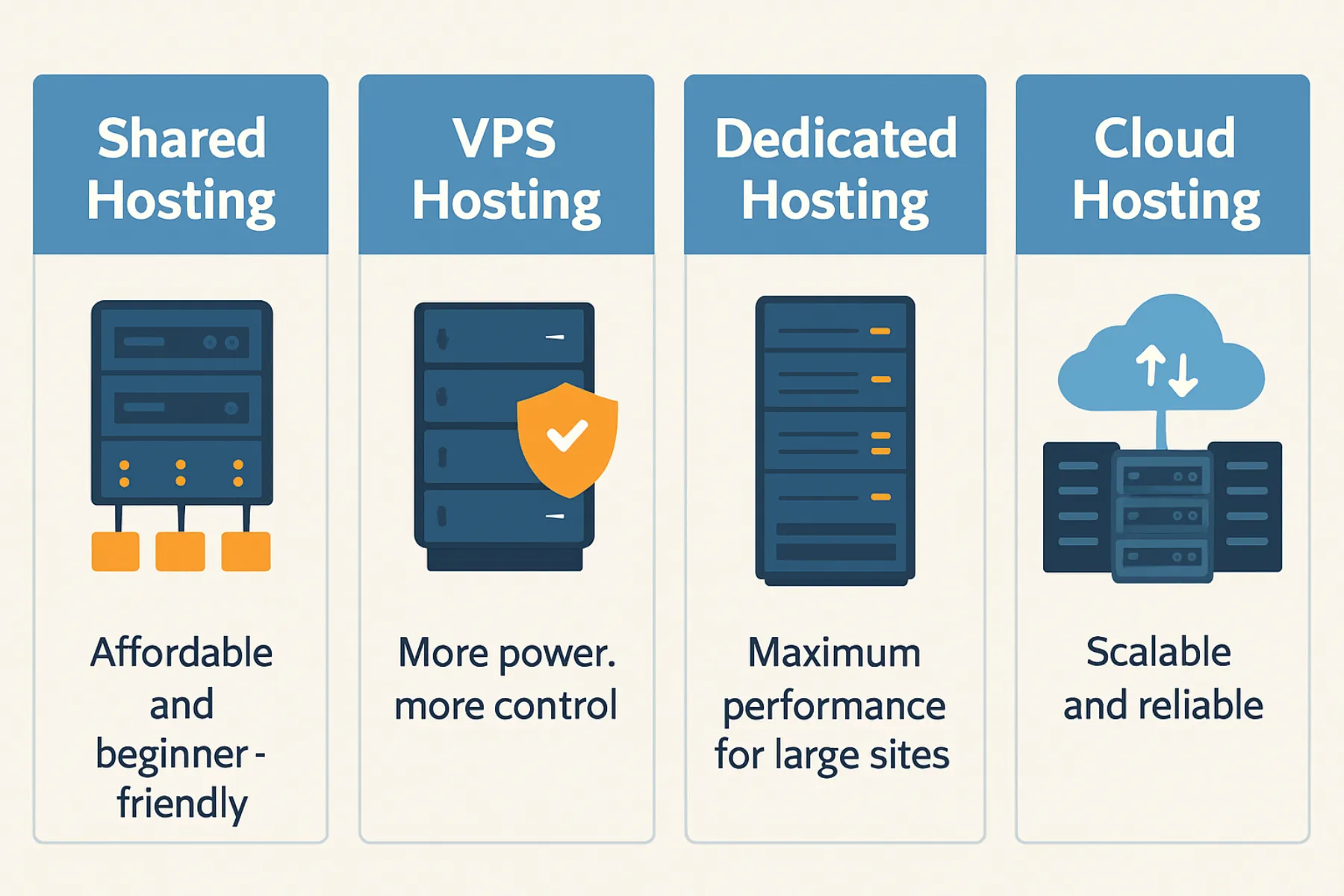
Shared hosting is the most popular and affordable option for beginners.
As the name suggests, with "shared" hosting, multiple websites share the same server and its resources, such as CPU, memory, and storage.
The host's control panel (cPanel, Plesk etc.) provides tools to each website owner to manage their files, databases, install WordPress etc. This abstracts the server configuration, letting owners customize their environment without affecting the other sites sharing the same computer.
A simple analogy is renting a PG apartment with other tenants in the same house. You may have your own room, which you can customise, but you share some common resources like the kitchen, water supply and the electricity.
The sharing of the resources makes it extremely cost-effective, but the same can be the reason for performance issues. A sudden traffic spike on another website on your shared server could potentially slow down the site for your visitors as well.
Pros
Cons
🟢 Most economical way to get started, often just a few dollars a month.
🔴 Since resources are shared among multiple websites, performance can be affected during high traffic periods.
🟢 The hosting platform manages software updates, security patches, and automatic weekly backups.
🔴 You have no root access, so you can't install custom software or tweak server settings.
🟢 Most shared hosting providers offer user-friendly interfaces with one-click installations for popular platforms like WordPress.
🔴 Sharing a server with other sites increases the risk of security vulnerabilities.
Security Considerations
The last point above pertaining to security risks is important to note. Even if someone else's website on the server is compromised, it could potentially affect the others.
However, don't let this discourage you. Hosting platforms, from their end, provide containerized environments to each website owner with strong security measures like DDoS protection, malware scanning and firewalls to mitigate these risks. But it is important to be aware that the risk is never 0.
Shared hosting is the perfect place to start and gain experience. Besides, with scalable plans, you can later upgrade to a VPS or dedicated server if need arises.
Some personal recommendations based on ease of use, affordability and my own experience include Hostinger, BlueHost and HostGator.
VPS (Virtual Private Server) Hosting
Here, a physical server is partitioned into several isolated virtual machines. Each such virtual machine or VPS instance has its own allotted resources (CPU, RAM, storage) and runs its own operating system.
Thus technically, a VPS server is still operating on a shared hardware, but completely isolated from others and with guaranteed resources.
VPS hosting gives you more control and resources than shared hosting, while still being cost-effective. You can install custom software, configure server settings, and can have root access just like an actual dedicated server (we'll explore that next). This makes it a perfect middle ground between shared hosting and dedicated server hosting.
Pros
Cons
🟢 You have root access and can customize the server environment.
🔴 More expensive than shared hosting, but cheaper than dedicated servers.
🟢 The CPU and RAM you pay for are yours alone.
🔴 Requires more technical knowledge to manage and configure.
*Though if you want, you may look for managed VPS services.
🟢 Easier to scale resources up or down as needed.
🔴 You still share the physical host; a catastrophic hardware failure can affect all VPSs on that machine.
This is a good option for small to medium-sized businesses, developers, and tech-savvy users who need more control and resources than shared hosting can provide but don't require the full power of a dedicated server.
For instance, if you're a developer who wants to run web applications based on Node.js or Ruby on Rails (since most shared hosting platforms only provide PHP support), or a small business that needs to run a custom CRM or ERP system.
Personal recommendations: The higher tier-up VPS plans from Hostinger and BlueHost are good starting points. For more developer-focussed needs, consider DigitalOcean or Linode.
Dedicated Hosting
Dedicated hosting means renting an entire "physical" server for exclusive use. You can choose the hardware specifications (CPU cores, RAM, SSD/HDD storage, RAID configurations) and the operating system.
Since all the server's resources are dedicated only to your website, you can handle high traffic volumes, run resource-intensive applications, and have complete control over security measures.
Sample image of modern servers stacked in a data center. Image via Canva Pro.
Pros
Cons
🟢 All resources are dedicated to your website.
🔴 Much more expensive than shared or VPS hosting. Even entry level can cost around $100/month.
🟢 You have complete control over the server configuration.
🔴 Unless you go for a managed dedicated service, you'd need to either hire someone or work as the system admin yourself.
With dedicated hosting, search reviews for 24/7 call support, this is very important as you'll need to reach out to the support from time to time. You can also opt for managed services, where people from the hosting company will be responsible for installing, configuring and running system tasks.
Dedicated hosting is suited for large businesses, very high-traffic websites, and applications that require maximum performance, security, and control. It also demands technical expertise to manage the server, so depending upon your experience, you might need to employ a system administrator or invest in managed services.
Cloud hosting utilizes a network of virtual servers to host websites and applications. In this setup, resources are provisioned from a pool of virtual machines spread across multiple data centers.
With cloud hosting, your website, instead of just one server, uses a group of connected servers that work together. If your site gets busy, more resources are automatically added to keep it running smoothly. This makes cloud hosting great for websites that anticipate variable traffic volume.
Providers (AWS, Google Cloud, Microsoft Azure, DigitalOcean, Linode) use technologies like auto‑scaling groups, load balancers, and object storage (S3, GCS) to deliver virtually limitless capacity.
Cloudhosting is based on the pay-as-you-go pricing model. You only pay for the resources you actually use, making it a cost-effective solution for businesses with fluctuating workloads.
Pros
Cons
🟢 Pay‑as‑you‑go pricing: You're billed per hour or per GB, which can be cost‑effective for sporadic workloads.
🔴 Vendor lock-in: which means your application may become dependent on a specific cloud provider's services and APIs (like Amazon S3 or Microsoft Azure), making it difficult to migrate to another provider.
🟢 Elasticity: Compute, memory, and storage automatically scale up or down based on demand.
🔴 Complexity: Managing instances, containers (Docker/Kubernetes), and networking can be very challenging for inexperienced beginners.
🟢 Built‑in redundancy: If one node fails, traffic is rerouted to healthy instances—resulting in high availability (often ≥ 99.99%).
🔴 Potential cost surprises: A sudden traffic surge can generate a larger-than‑expected bill if you haven't set caps or alerts.
For start‑ups expecting rapid growth or unpredictable traffic patterns (e.g. SaaS, mobile back‑ends) or Applications that need global distribution (CDN integration, multi‑region failover), cloud hosting is a good option. Some popular platforms are: Microsoft Azure, Google Cloud, Amazon Web Services (AWS) & DigitalOcean.
When selecting a cloud hosting provider, ponder hard about which platform to opt for. Though all the major players listed above are excellent and reliable choices, your application may become dependent on their specific APIs. This means, migrating later to a different platform could be challenging and may require significant code refactoring.
Platform-Specific Solutions
These aren't a different type of hosting architecture, they are a specialized service built on top of other hosting types.
Types of Specialized Hosting
Managed WordPress Hosting: The server environment is specifically optimized for installing and running WordPress sites, offering features like automatic updates of plugins, scanning and removal of malware, and support. Some options- Kinsta, and SiteGround.
Ecommerce Hosting: Designed specifically for online stores, ecommerce hosting provides everything you need to sell products online. These services include easy-to-use shopping cart tools, secure payment processing, inventory management, and strong security features to protect your customers. Shopify and BigCommerce are 2 big names here.
Game Hosting: Tailored for online gaming, game hosting provides high-performance servers optimized for low latency and fast connections. These services often include DDoS protection, mod support, and easy server management tools. Popular platforms are Apex Hosting and Host Havoc.
Key Features to Consider
When you'll go to buy or research about hosting services, here are all the terms you'll encounter.
Essential Features
Bandwidth: The amount of data your site can transfer to your visitors in a month. More bandwidth means better performance during traffic spikes.
Storage: The total space available for your website's files, databases, and emails.
Uptime: The percentage of time your site is online and accessible. Look for hosts with 99.9% uptime guarantees.
Tools: This includes SSH access, file managers like cPanel, database (MySQL, PostgreSQL etc.) and other utilities to help manage your site.
SSL certificate: A security feature that encrypts data between the user and the server. Many hosting providers offer free/affordable lifetime SSL certificates.
Additional Considerations
Freebies offered: Besides SSL, many hosts provide additional perks like one free domain-name registration, AI website builders, or WordPress installation. These may add value to your plan.
Background management: This includes tasks such as automatic backups, firewalls, DDoS mitigation and software updates.
Scalability: If the host provides easy migrations to larger plans or different hosting types as your site grows.
Pricing: Intro deals are often cheap, don't get swayed just by that. Renewals reveal the true monthly cost. Check if there are hidden costs associated with running automatic backups, CDN, premium DNS, email etc.
Customer Support: Look for hosts that offer 24/7 support via multiple channels (chat, email, phone).
Conclusion
Hosting Type
Target Audience
Budget Estimation (USD/month)
Shared Hosting
Ideal for blogs, small businesses and personal websites.
$2.5-$10
VPS (Virtual Private Server)
Ideal for growing websites that need more resources and control.
$20-$100
Dedicated Server
Ideal for large enterprises with high traffic and resource demands.
$100-$300+
Cloud Hosting
Ideal for scalable applications and websites with variable traffic.
$10-$500+ (usage based)
Platform specific solutions
Can be anyone from the above, but exclusively dedicated to a specific solution like eCommerce or managed WordPress.
Varies widely
If you are just starting out and looking to create a small business or personal website, my advice would be to go for a reputable shared hosting plan. It'll provide more than enough power for your first year while being economical.
Once you gain enough experience of running a website, and as your content grows, your website starts ranking high on Google, then you can consider upgrading if required.
Now, if you're someone who anticipates rapid growth right from the start or has specific technical requirements, then exploring other hosting solutions might also be worthwhile.
Most hosting providers offer free trials or 30-day money-back guarantees, allowing you to test their services without a long-term commitment. So consider spinning up test environments to evaluate your options.
Here is a simple action plan- just upload a copy of your website or app and run some testing tools like WebPageTest or GTmetrix to evaluate performance, load times, and other key metrics. Additionally, consider using monitoring tools like Uptime Robot or Pingdom to keep an eye on your website's uptime and performance over time.
If the test results do not meet your expectations, then you may consider the upper tier or maybe test the same tier from other platforms.
Frequently Asked Questions (FAQs)
Is shared hosting suitable for an e-commerce store?
For a modest store (<5,000 monthly visitors) on a stable platform like WooCommerce, a high‑quality shared host can work, provided you enable caching, use a CDN, and monitor performance. As sales increase, migrate to VPS or cloud for better isolation and scalability. Note: if you're storing sensitive customer data, consider a host with strong security features and compliance with PCI DSS standards or better choose an upper tier option like VPS or Shopify.
How does domain registration factor into hosting?
Domain registration is independent of hosting. You can register a domain with a registrar (GoDaddy, Namecheap, Google Domains) independently and point its DNS records (A, CNAME) to your host's IP address. Many hosts offer "free domain for the first year or the first website" as part of a bundle.
How do I migrate my website from one hosting provider to another?
Migrating hosting providers manually involves several steps:
Create a complete backup of your website files and databases.
Upload your website files to the new host using FTP or a file manager.
Change your domain's DNS settings to point to the new host's servers.
Ensure everything is working correctly on the new host before canceling the old service.
Many hosting platforms offer migration services to help you move your website with just a few clicks. Check with your new host to see if they provide this service.
Do I need a dedicated IP address?
Most likely- no. Dedicated IPs become relevant for bespoke SSL certificates, email deliverability, or certain compliance requirements.
What's the difference between 'managed' and 'unmanaged' hosting?
Managed hosting means the provider takes care of the routine server management tasks like updates, security, and backups, allowing you to focus on your website. Unmanaged hosting gives you full control but requires you to handle all the server management yourself.
Cookie Policy
This website uses some non-essential cookies like Google Analytics and a custom visitor id for the sole purpose of analysing website traffic data. This helps me identify which pages are popular and how users interact with the site. You can choose to accept or decline the use of these cookies.